
Picture this: It’s a Tuesday afternoon. You log into your website’s dashboard to make a quick text change, and you see a notification. Your CMS needs an update, and three of your plugins are out of date.
The “Update Now” button is right there, practically begging to be clicked. It takes two seconds. What could go wrong?
For many business owners, clicking that button triggers a digital disaster. A layout breaks, a critical payment gateway stops working, or worse—the entire site crashes, displaying a terrifying blank screen to your customers.
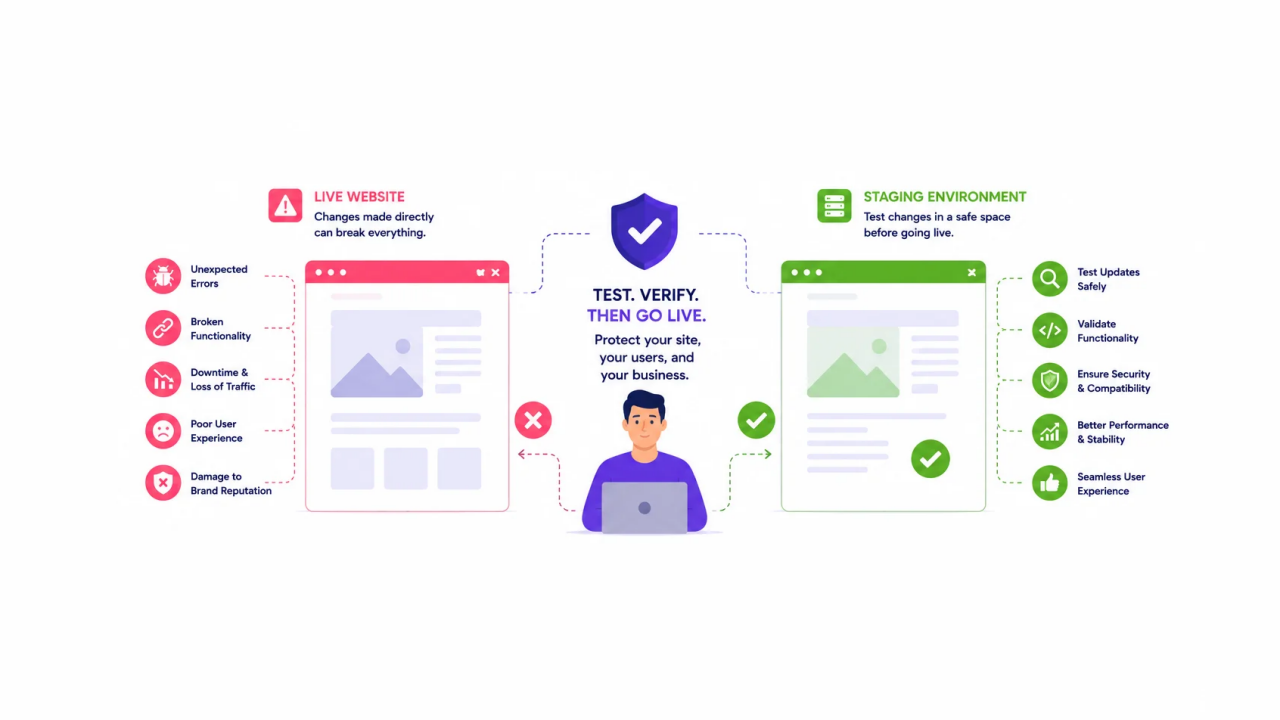
In the digital world, your website is your 24/7 storefront. Every minute it spends broken is a minute of lost revenue, damaged brand reputation, and sheer panic. This is exactly why professional developers never test on a live site, and why your business needs a staging environment.
The Danger of the “Quick Update”
Modern websites are complex ecosystems. If you are running a platform like WordPress, your site relies on a delicate balance of core software, custom themes, and third-party plugins.
When you run updates directly on a live site, you are rolling the dice on compatibility. A plugin update might clash with your theme, or a new CMS version might deprecate a piece of code your site relies on. When this happens live, your customers are the first to experience the glitch.
The hidden costs of live updates include:
- Costly Downtime: If an update breaks your site, fixing it isn’t always a one-click rollback. It can take hours to diagnose and repair.
- Lost Conversions: A broken checkout page or a malfunctioning contact form directly translates to lost sales and missed leads.
- SEO Penalties: If search engines crawl your site while it’s down or displaying error codes, it can negatively impact your search rankings.
What is a Staging Environment?
A staging environment (or development environment) is essentially a private, exact replica of your live website. It lives on a separate, hidden server space where the public and search engines cannot see it.
Think of it as a sandbox or a dress rehearsal. It allows developers to test out changes, run updates, and experiment with new features in a completely safe, isolated space.
The Professional Workflow: Test Before You Push
To truly protect a business website, the maintenance process should follow a strict, fail-safe workflow:
- Reliable Site Backups: Before any work begins, a complete backup of the live site’s database and files is secured. This is the ultimate safety net.
- Cloning to Dev: The live site is copied over to the staging environment.
- Testing Updates: CMS core updates, theme patches, and plugin updates are applied strictly in the staging environment.
- Quality Assurance (QA): The site is rigorously tested. Do the forms still work? Is the layout intact across mobile devices? Are the load times stable?
- Pushing to Live: Only after everything is verified and functioning perfectly in staging are the updates safely uploaded to the live site.
The Bottom Line: Peace of Mind
For a growing business, reliability isn’t a luxury; it’s a requirement. Utilizing a dedicated development environment eliminates the anxiety of website maintenance. It ensures zero downtime for your users and protects the revenue stream you’ve worked so hard to build.
Your website is an investment. Treat its maintenance with the same level of care.
Is your website one click away from a crash? At DPOINTED LLC, we build robust digital systems designed for stability and growth. We handle the technical heavy lifting—from secure staging environments to routine maintenance—so you can focus on running your business without the tech headaches. Contact us today to safeguard your digital storefront.
